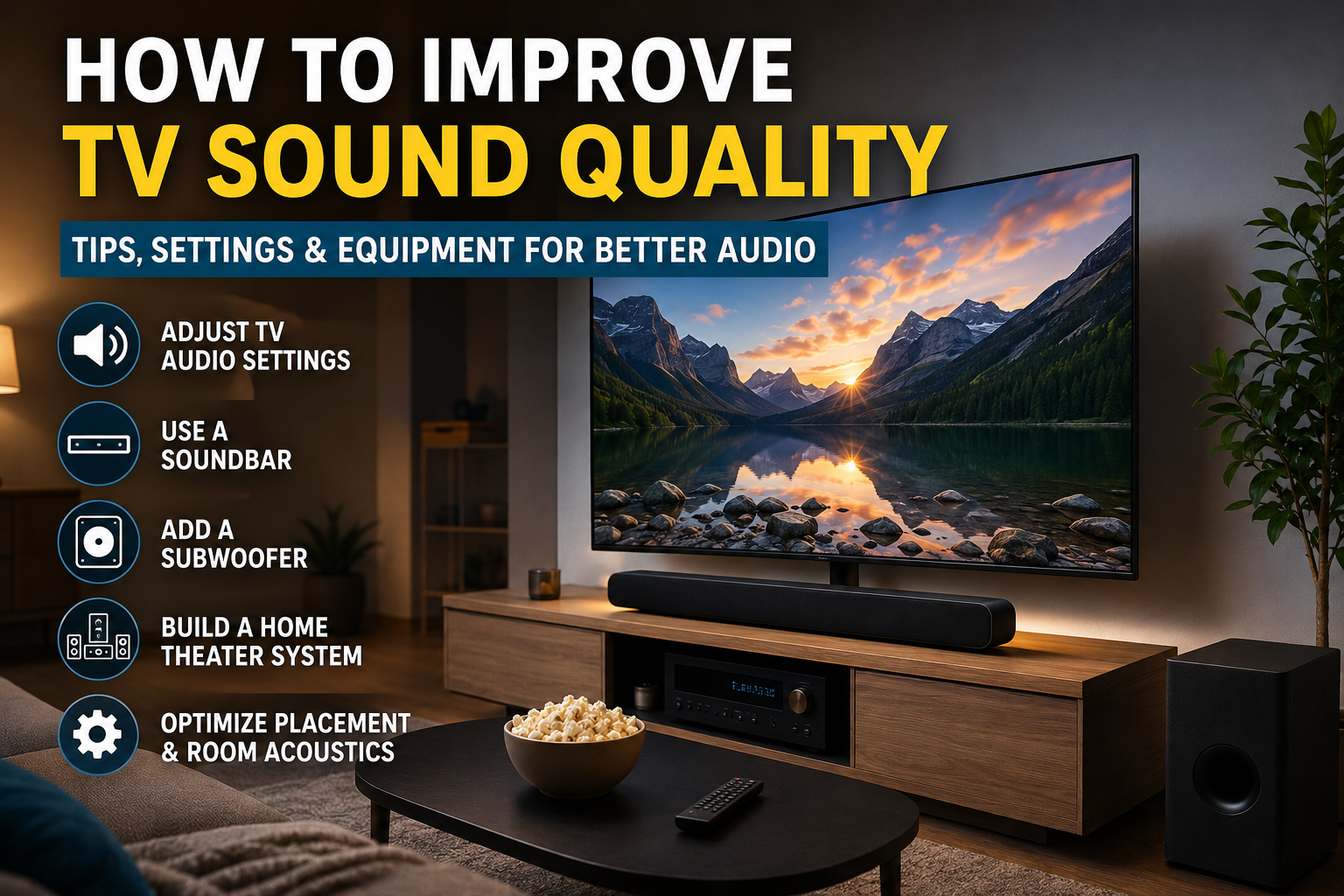
10 Powerful Ways to Improve TV Sound Quality for an Amazing Home Theater Experience

How to Improve TV Sound Quality: 10 Powerful Ways for [...]
How to Improve TV Sound Quality: 10 Powerful Ways for Better Audio
Modern televisions offer stunning picture quality, but many viewers are disappointed by weak or unclear audio. If you’ve ever struggled to hear dialogue or wished for a more immersive movie experience, you’re not alone.
How to Improve TV Sound Quality is one of the most common questions among TV owners today. Fortunately, there are several effective ways to enhance your television’s audio without replacing your TV.
This guide explores practical solutions that can dramatically improve your listening experience.
Why TV Audio Often Sounds Poor
Before learning how to improve TV sound quality, it’s important to understand why modern TVs often have disappointing sound.
Manufacturers continue to make televisions thinner. While this creates sleek designs, it leaves less room for powerful speakers. Small built-in speakers struggle to produce deep bass, clear dialogue, and immersive surround sound.
Common TV audio problems include:
- Muffled voices
- Weak bass
- Distorted sound at high volume
- Inconsistent volume levels
- Lack of surround effects
1. Adjust Your TV Audio Settings
One of the easiest ways to improve TV sound quality is by optimizing your television’s built-in audio settings.
Look for settings such as:
- Dialogue Enhancement
- Clear Voice Mode
- Adaptive Sound
- Dynamic Range Compression
- Virtual Surround Sound
Experiment with these options to determine which provides the best audio experience for your room.
2. Invest in a Soundbar
How to Improve TV Sound Quality with a Soundbar
A soundbar is one of the most effective upgrades you can make.
Benefits include:
- Better dialogue clarity
- Enhanced bass
- Wider soundstage
- Easy installation
Many modern soundbars support advanced audio technologies like:
- Dolby Atmos
- DTS:X
- Virtual Surround Sound
Popular brands include Sony, Samsung, Bose, LG, and Sonos.
3. Add a Dedicated Subwoofer
Television speakers struggle to reproduce low-frequency sounds.
A dedicated subwoofer provides:
- Deeper bass
- More impactful explosions
- Better music performance
- Enhanced movie immersion
Many soundbars are available with wireless subwoofers, making setup simple and clutter-free.
4. Upgrade to a Home Theater System
How to Improve TV Sound Quality for Movies
If you’re serious about entertainment, a full home theater system offers the best results.
A typical setup includes:
- Front speakers
- Center speaker
- Surround speakers
- Subwoofer
- AV receiver
This configuration creates a true cinematic experience that significantly outperforms standard TV speakers.
5. Improve Speaker Placement
Speaker positioning can dramatically affect sound quality.
Best practices include:
Front Speakers
Place at ear level whenever possible.
Center Speaker
Position directly below or above the TV.
Surround Speakers
Install slightly behind the listening position.
Subwoofer
Experiment with placement to find the strongest bass response.
Proper placement can improve TV sound quality without spending additional money.
6. Enable HDMI ARC or eARC
Modern televisions often support:
- HDMI ARC (Audio Return Channel)
- HDMI eARC (Enhanced Audio Return Channel)
These technologies allow high-quality audio transmission between your TV and sound system.
Benefits include:
- Better sound quality
- Simplified cabling
- Support for Dolby Atmos
7. Use Acoustic Room Treatments
How to Improve TV Sound Quality Through Room Acoustics
Even premium speakers can sound poor in an untreated room.
Hard surfaces create echoes and reflections that reduce clarity.
Consider adding:
- Rugs
- Curtains
- Acoustic panels
- Bookshelves
These items help absorb unwanted reflections and create cleaner audio.
8. Turn Off Volume Normalization Features
Many televisions include automatic volume control features.
While designed to prevent loud commercials, they may reduce audio dynamics.
Check your settings for:
- Auto Volume
- Volume Leveling
- Loudness Equalization
Disabling these options can restore more natural sound.
9. Stream Higher-Quality Audio Sources
The source content matters.
Many streaming services offer premium audio formats such as:
- Dolby Atmos
- Dolby Digital Plus
- DTS Audio
Services supporting advanced audio include:
DoFollow Links:
Netflix
Disney+
Max
Using higher-quality content can significantly improve TV sound quality.
10. Keep Firmware Updated
Manufacturers frequently release software updates that improve:
- Audio processing
- HDMI compatibility
- Sound synchronization
- Overall performance
Check your TV settings regularly for firmware updates.
Internal Links
Video Recommendation
Embed a helpful YouTube video:
Suggested Embed:
https://www.youtube.com/results?search_query=how+to+improve+tv+sound+quality


Final Thoughts
How to Improve TV Sound Quality doesn’t always require expensive equipment. Simple adjustments to your TV settings, better speaker placement, and improved room acoustics can make a noticeable difference.
For the biggest improvement, consider adding a quality soundbar or a complete home theater system. Combined with high-quality audio sources and proper setup, you’ll enjoy clearer dialogue, richer bass, and a far more immersive entertainment experience.
Whether you’re watching movies, sports, or streaming your favorite shows, these strategies will help you get the most out of your television’s audio performance.
Share This Article