
MacBook Air M1 vs Windows Laptops for Students (2026 Guide + Best Deals)

MacBook Air M1 vs Windows Laptops for Students: Which One [...]
MacBook Air M1 vs Windows Laptops for Students: Which One Is Better in 2026?
Choosing the right laptop for college or university can be challenging. With so many models, brands, and configurations, students often ask: Should I buy the MacBook Air M1 or a Windows laptop?
In this detailed comparison of MacBook Air M1 vs Windows laptops for students, we analyze performance, battery life, design, software compatibility, pricing, and real-world student use cases — helping you make the smartest buying decision.

MacBook Air M1 vs Windows Laptops for Students – Quick Comparison
| Feature | MacBook Air M1 | Windows Laptops |
| Performance | Excellent (Apple M1) | Very good (Intel / AMD / Snapdragon) |
| Battery Life | 15–18 hours | 8–20 hours (model dependent) |
| Operating System | macOS | Windows 11 |
| Build Quality | Premium aluminum | Varies (budget → premium) |
| Price Range | $650–$900 | $400–$1200 |
| Best For | Creatives, coding, general studies | Engineering, gaming, budget users |
MacBook Air M1: Overview for Students
The MacBook Air M1 revolutionized student laptops thanks to Apple’s powerful ARM-based chip. Even years after launch, it remains one of the best laptops for students.
Apple MacBook Air M1
Key Specifications
- Processor: Apple M1 (8-core)
- RAM: 8GB / 16GB
- Storage: 256GB / 512GB SSD
- Display: 13.3″ Retina
- Battery Life: Up to 18 hours
- Weight: 1.29 kg (2.8 lbs)
Why Students Love MacBook Air M1
- Exceptional battery life
- Ultra-fast performance
- Silent (fanless) design
- Premium aluminum build
- Perfect integration with iPhone & iPad
According to multiple benchmarks, MacBook Air M1 delivers 14–18 hours of real-world battery life, outperforming many premium Windows laptops.
outperforming many premium Windows laptops.
Windows Laptops for Students: Flexibility & Variety
Windows laptops offer massive flexibility, wide price options, gaming capability, and strong hardware choices.
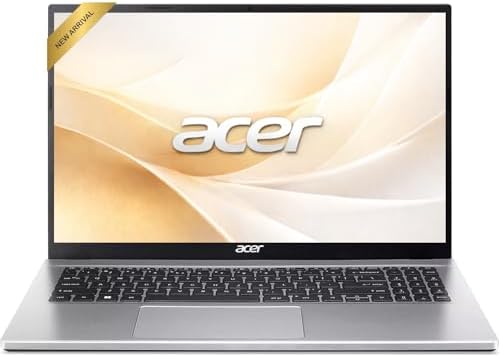
Here are some of the best Windows laptops for students:
Popular Windows Laptop Advantages
- Touchscreen & 2-in-1 models
- Gaming-capable GPUs
- More ports (USB-A, HDMI, SD card)
- Lower price options
- Massive software compatibility
1. Performance & Speed
MacBook Air M1
The Apple M1 chip still outperforms most Intel & AMD processors in everyday tasks:
- Coding
- Video editing
- Web browsing
- Office & research
- Photo editing
It even handles 4K video editing smoothly.
Windows Laptops
Windows laptops vary widely:
- Intel Core i5/i7
- AMD Ryzen 5/7
- Qualcomm Snapdragon X (new generation)
High-end Windows laptops can match or exceed M1 performance, but budget models are slower.
2. Battery Life
Battery life is crucial for students.
MacBook Air M1 Battery
- 15–18 hours
- 14+ hours of real browsing
Windows Battery Life
- Budget laptops: 7–10 hours
- Premium ultrabooks: 12–20 hours
Some Snapdragon Windows laptops now reach 25+ hours, but software compatibility is still improving.
3. Software Compatibility
macOS (MacBook Air M1)
Perfect for:
- Programming
- Media editing
- Graphic design
- Content creation
- University research
Limitations:
- Limited engineering software
- No native gaming support
Windows 11 (Windows Laptops)
Best for:
- Engineering students
- Architecture
- Business students
- Accounting software
- Gaming
- CAD & simulation tools
Windows remains the most compatible OS for academic software.
4. Build Quality & Design
MacBook Air M1
- Premium aluminum body
- Extremely thin
- Best-in-class trackpad
- Silent cooling
Windows Laptops
- Budget plastic → premium aluminum & carbon fiber
- More variety in screen size
- Touchscreen & foldable designs
5. Price & Value for Students
MacBook Air M1 Price
- New: $750–$900
- Refurbished: $550–$700
Windows Laptop Price
- Budget models: $400–$600
- Premium ultrabooks: $900–$1400
Students on tight budgets will find more affordable Windows options.
MacBook Air M1 vs Windows Laptops for students – Best Choice
Best for Programming Students
✅ MacBook Air M1
- Excellent for Python, Java, Web Dev, iOS dev
- UNIX-based OS
Best for Engineering Students
✅ Windows Laptop
- CAD software
- AutoDesk
- MATLAB
- SolidWorks
Best for Business & Accounting Students
✅ Windows Laptop
- Excel macros
- Accounting software
- Finance platforms
Best for Creative Students (Design, Video, Photography)
✅ MacBook Air M1
- Final Cut Pro
- Adobe Suite
- DaVinci Resolve
Best for Gaming Students
✅ Windows Laptop
- Dedicated GPUs
- Massive game compatibility
Pros & Cons Summary
MacBook Air M1 Pros
✔ Outstanding battery
✔ Ultra-fast performance
✔ Premium design
✔ Silent cooling
✔ Long lifespan
Cons
✖ Higher price
✖ Limited ports
✖ Not gaming friendly
Windows Laptop Pros
✔ Wide price range
✔ Better gaming support
✔ Touchscreen options
✔ More ports
✔ Better engineering software support
Cons
✖ Inconsistent battery life
✖ Varies by brand
✖ Build quality differs
Final Verdict: MacBook Air M1 vs Windows Laptops for Students
| Student Type | Best Choice |
| Programming | MacBook Air M1 |
| Business | Windows Laptop |
| Engineering | Windows Laptop |
| Creative | MacBook Air M1 |
| Budget Students | Windows Laptop |
| Long Battery Lovers | MacBook Air M1 |
Conclusion
The MacBook Air M1 vs Windows laptops for students debate ultimately depends on your field of study, budget, and workflow.
- If you want premium build, insane battery, and smooth performance → MacBook Air M1
- If you want budget flexibility, gaming, engineering software, and maximum compatibility → Windows laptop
Both platforms are excellent in 2026 — the right choice is the one that fits your academic needs.
Internal Links
- https://nexprimetech.com/best-laptops-2026
- https://nexprimetech.com/home-office-setup-guide
- https://nexprimetech.com/desk-setup-gadgets
- https://nexprimetech.com/valve-steam-deck-oled-1tb/


Share This Article